A website can look fine while hosting, WordPress, plugins and DNS quietly cause problems behind it. A plain-English guide to what keeps a website running.
A website can look completely fine and still be running on top of a lot business owners never see. We keep having the same conversations about hosting, domains, WordPress and plugins with people who bought a website years ago and never got a proper explanation of what they actually own. This is that explanation.
Prefer to watch? That’s the full video above. Otherwise, here’s the written version, section by section.
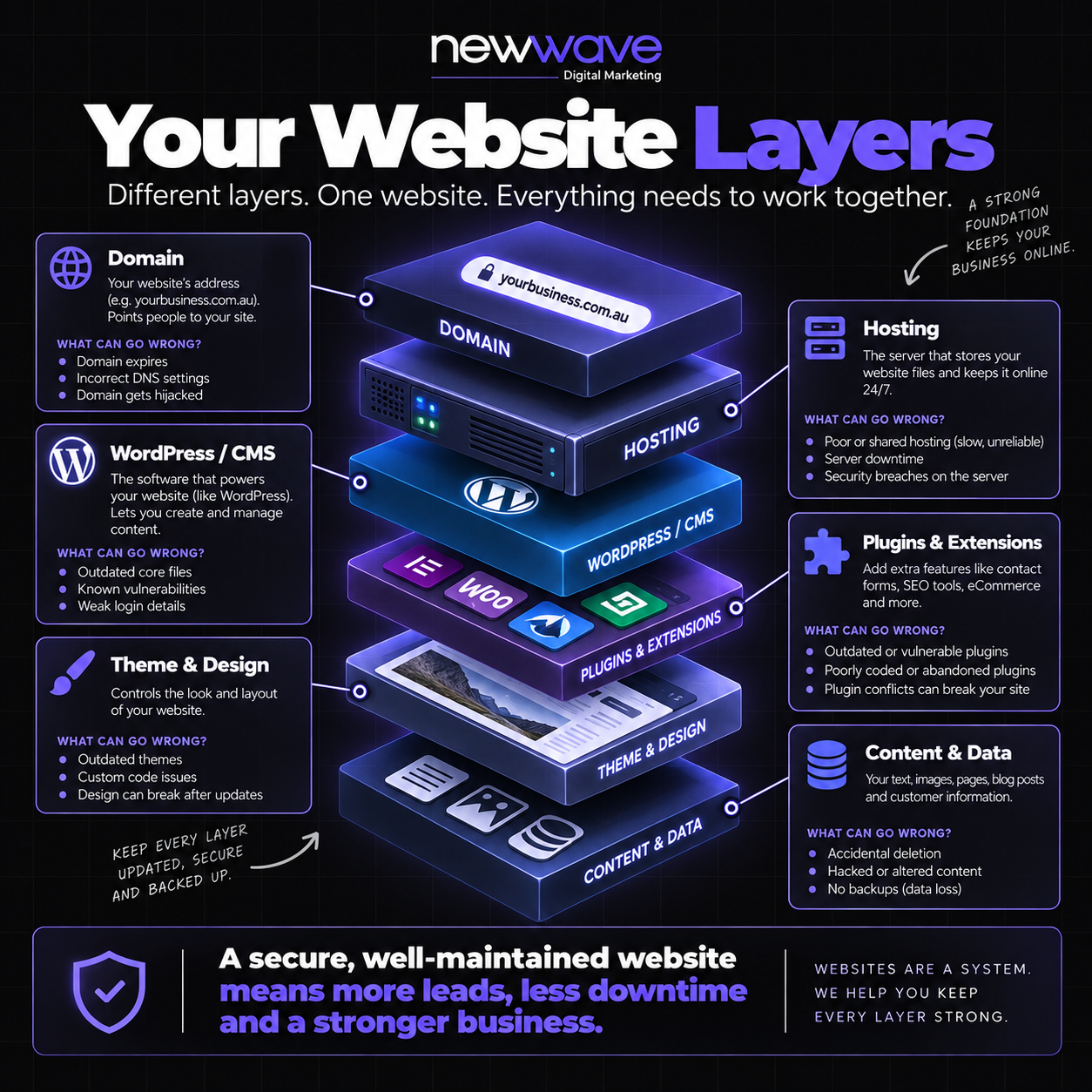
A website isn’t one thing. It’s a domain, hosting, a CMS, plugins, a theme, and your actual content and data, all stacked on top of each other. When one layer fails, the others can suffer too, sometimes without you noticing until an enquiry goes missing or the site starts acting strange.
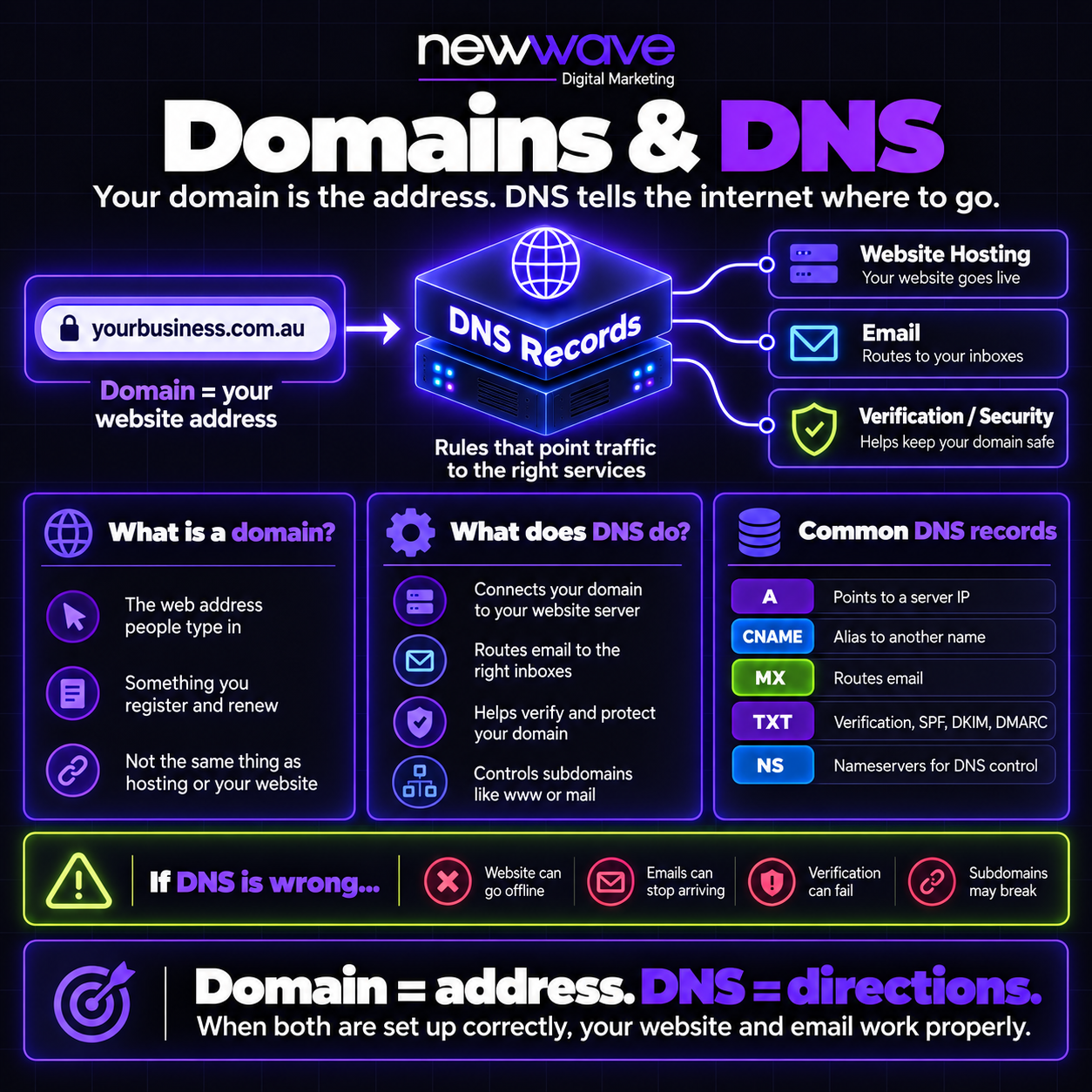
Your domain is your website’s address. DNS is the set of directions that tells the internet where that address actually points, to your hosting, to your email inbox if you’re using a branded email address, and to various verification and security checks. If DNS is wrong, the website can go offline, emails can stop arriving, verification can fail, and subdomains can break.
Domain ownership matters more than most business owners realise. If you lose control of your domain, you can lose control of both your email and your website. Losing hosting is recoverable, as long as you still have the domain and a backup, the site can go back online. Losing the domain itself is the real risk.
Two things worth doing regardless of who manages your website: own your own domain rather than letting an agency hold it, and use two-factor authentication on whatever account controls your DNS records.
This deserves its own section because it trips up so many businesses, including us at times.
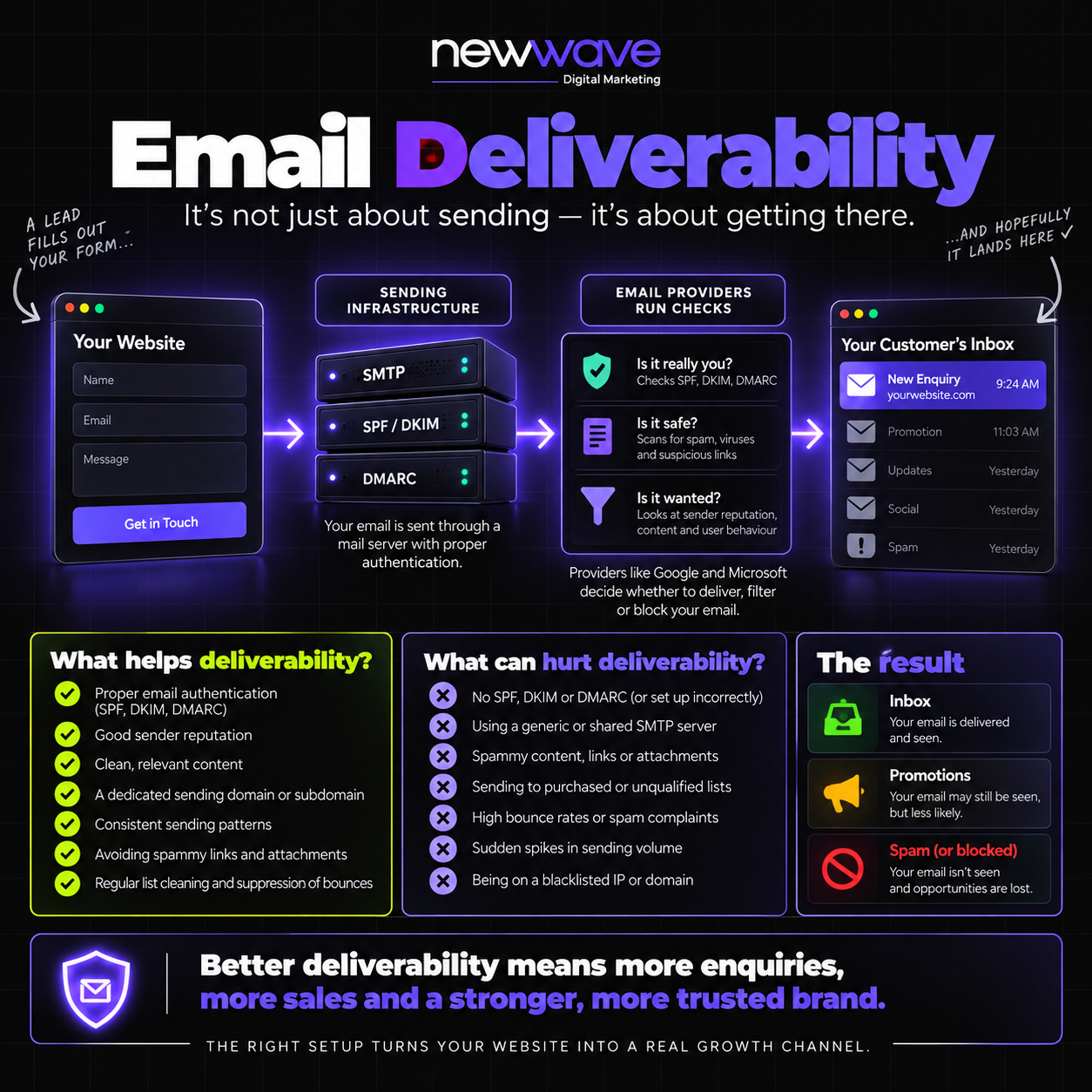
When someone fills in a website form, a whole checklist of things has to be working correctly for that email to actually land in your inbox. Miss one, and the enquiry can vanish without anyone noticing, the form looked like it submitted fine.
There’s a second side to this too: the settings of the inbox actually receiving the email.
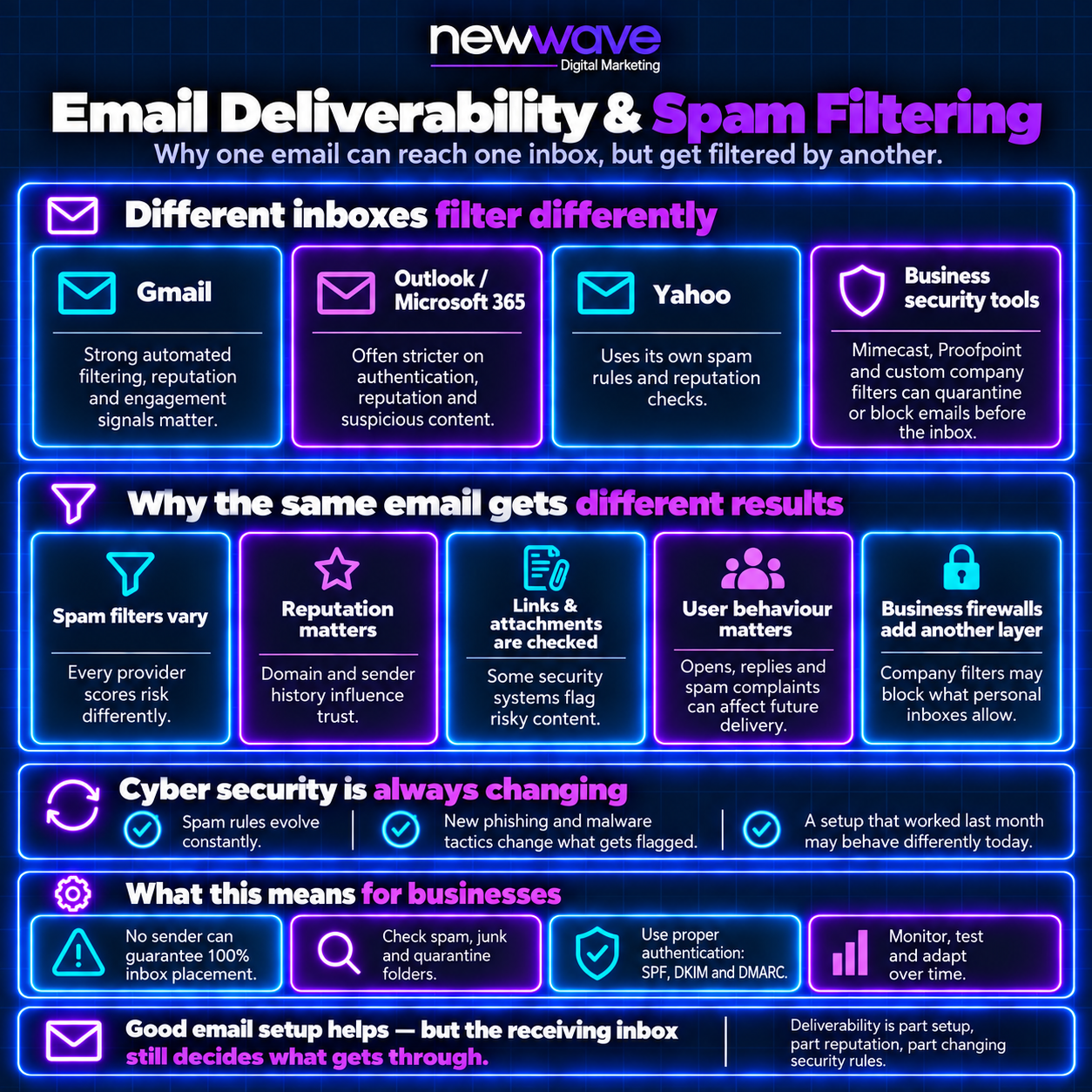
An email can leave correctly and still get filtered differently depending on where it lands. Outlook and Microsoft 365 in particular tend to run stricter spam policies than Gmail. And these rules keep changing, because email providers are constantly fighting new phishing and malware tactics.
This is genuinely a different problem to general web design. Email deliverability and domain security sit closer to an IT function than a web developer’s job. We’d encourage every business owner to periodically test their own website’s form and check that leads are actually arriving, because these things can quietly stop working with no warning.
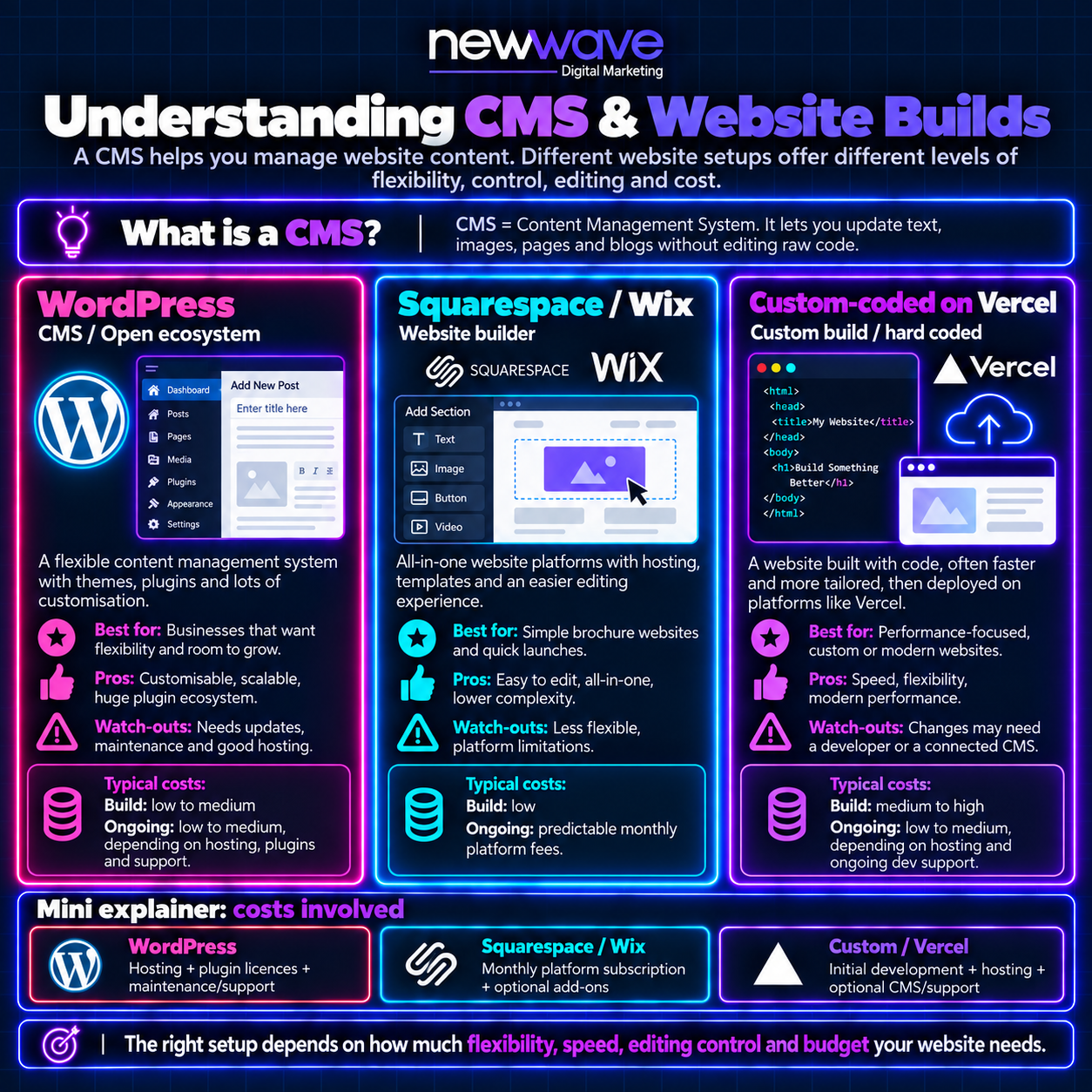
Most of what follows is specific to WordPress, which still runs a majority of websites built today. It’s customisable, scalable, has a huge plugin ecosystem, and you fully own it, unlike a platform such as Wix, where you’re paying an ongoing subscription indefinitely and you’re exposed if that platform itself has problems.
Whatever your website is built on, your files have to live somewhere. That’s hosting, and it’s where a lot of business owners’ understanding runs out.
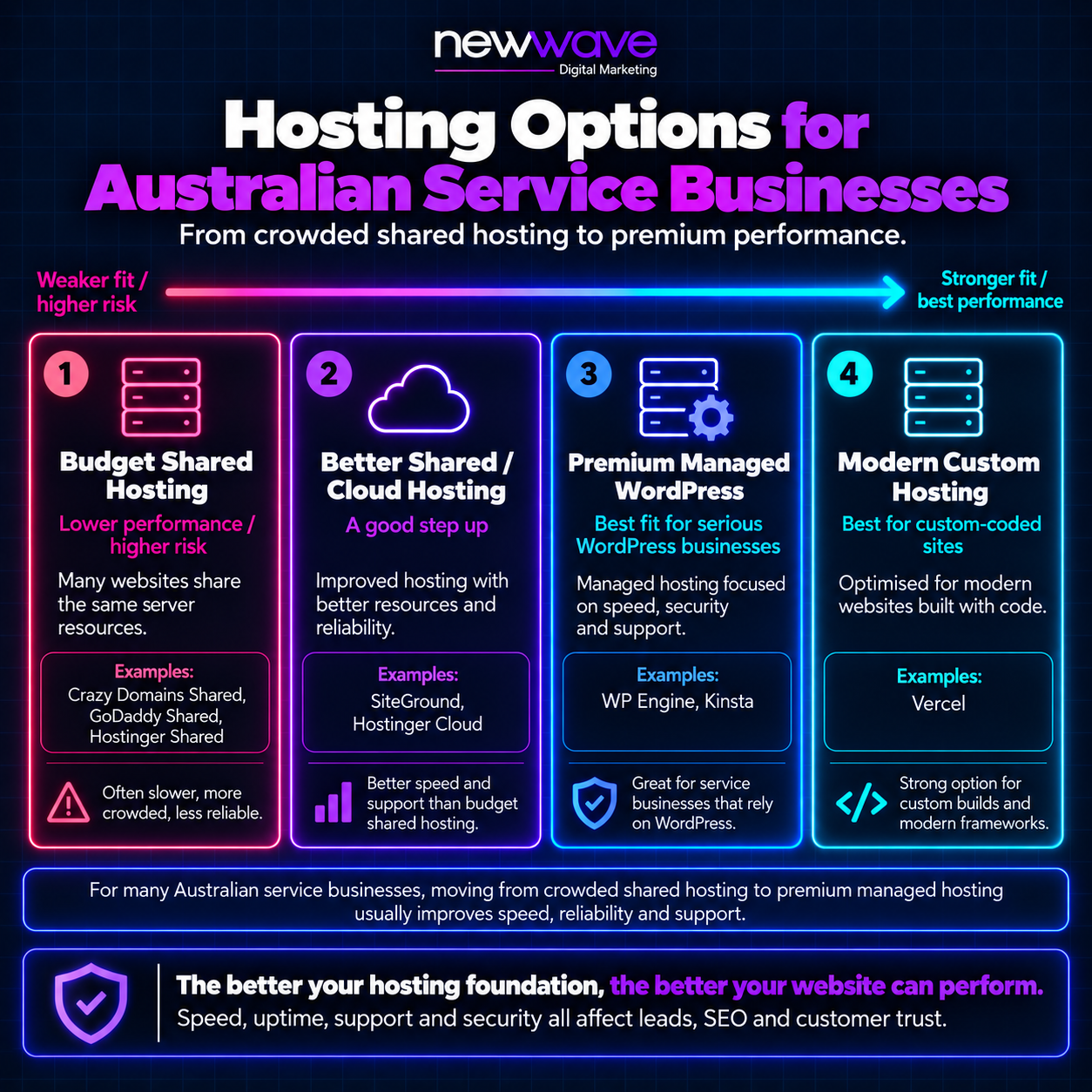
This is one of the most common gaps we see. A lot of businesses don’t realise there’s a real difference between hosting options, or why one plan might be $20 a month and another $200.
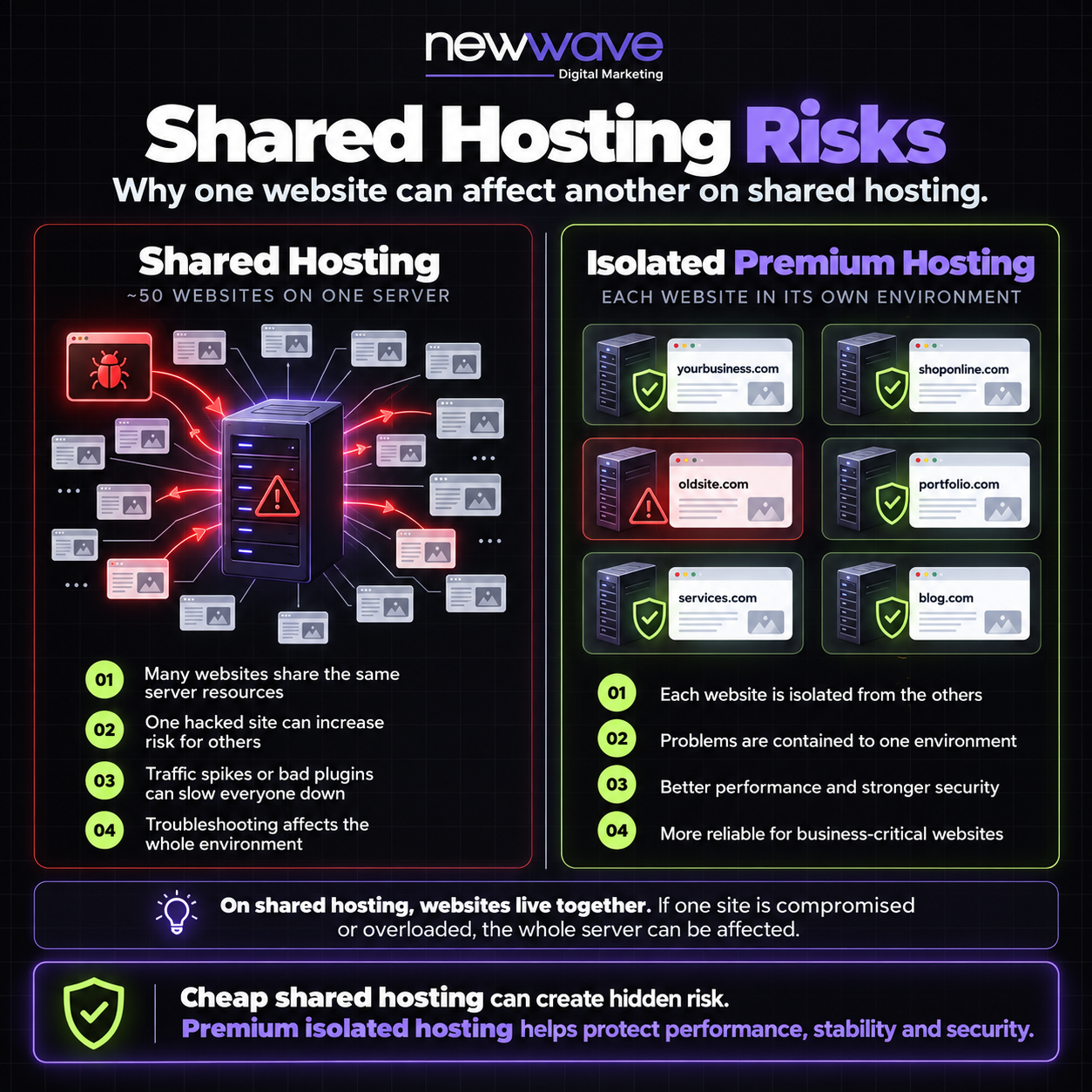
On shared hosting, your website sits on a server alongside potentially thousands of other sites you have no visibility into. If one of them gets compromised, there’s a real risk it spreads across the shared environment. We prefer isolated hosting for exactly this reason, our own favourite is WP Engine, though it comes at a higher cost than budget shared options.
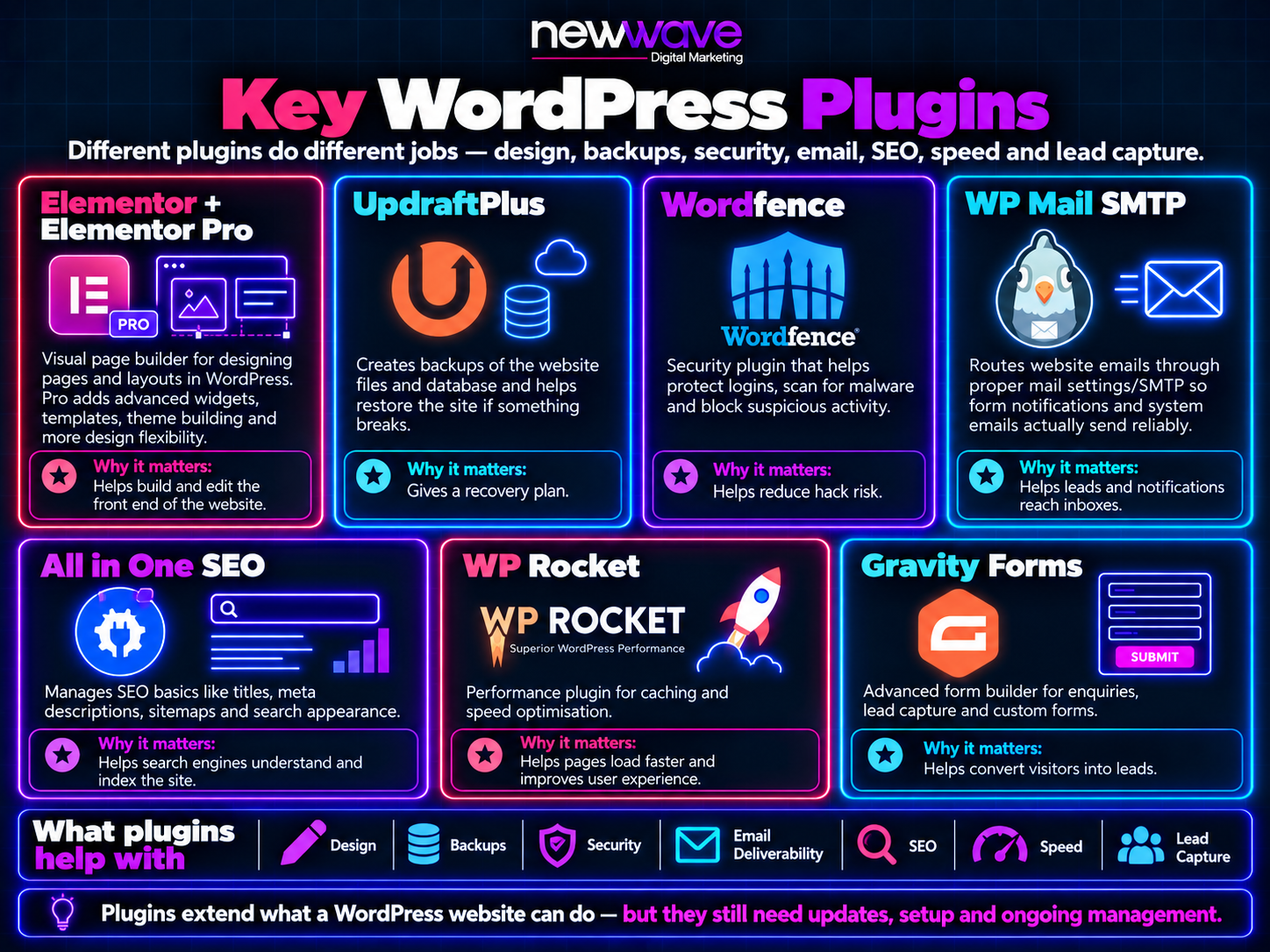
Plugins handle the customisation: forms, how the site looks, galleries, embedded feeds, and more. The risk is that plugins can break, especially niche or paid ones, if licensing lapses or they stop being maintained. A lot of business owners don’t realise this when they bought a website years ago. It’s a bit like a phone that stops receiving updates: everything else keeps moving forward, and eventually the thing that didn’t get updated starts to lag or stop working properly.
The specific plugins we rely on across sites we manage cover distinct jobs: a page builder for design, a backup tool so a bad update can be rolled back, a security plugin to fight malware and suspicious login activity, proper email routing so form notifications actually send, an SEO basics plugin, a speed/caching tool, and a form builder for lead capture.
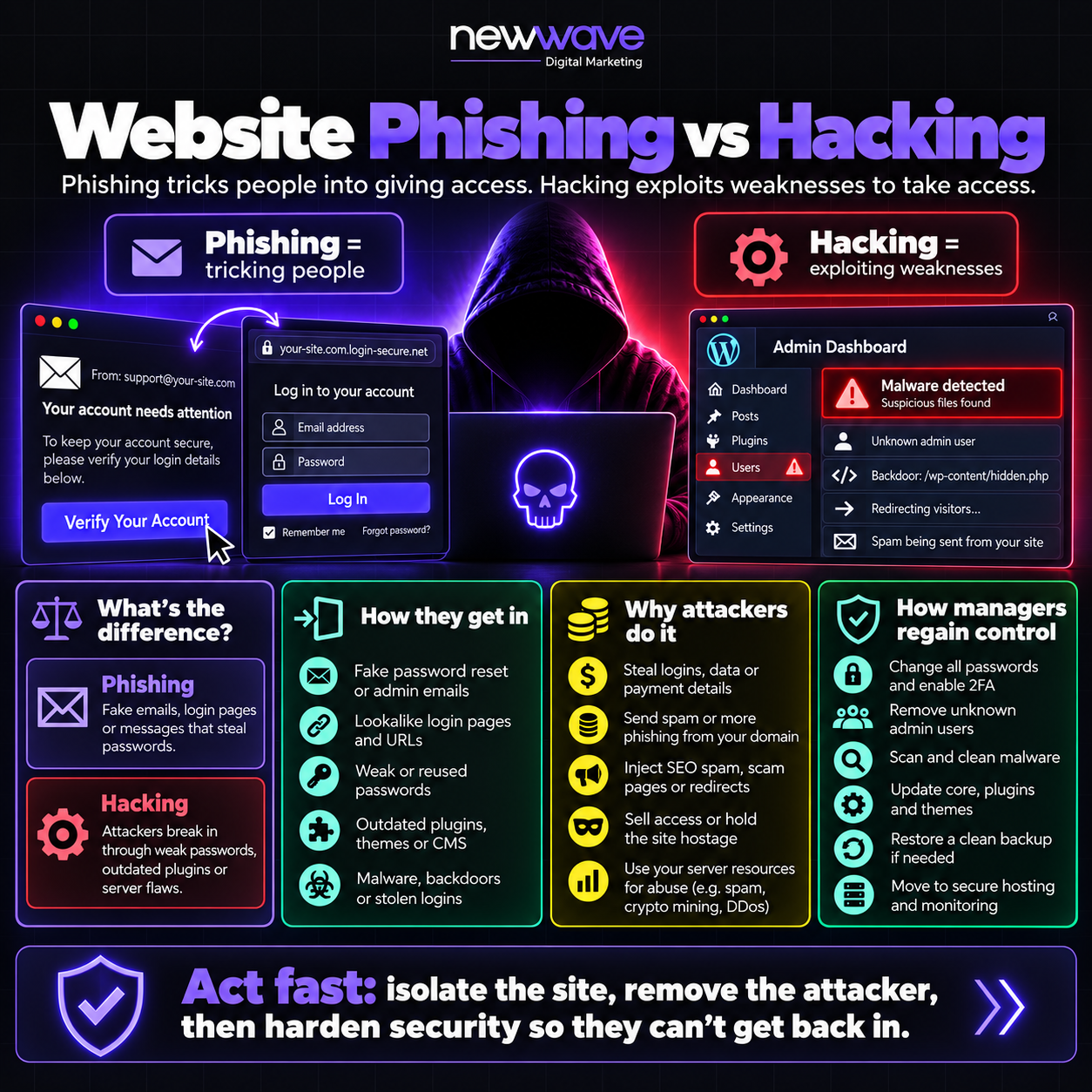
Phishing is tricking people. Hacking is exploiting a technical weakness. Both show up on websites, and the motive is usually one of a few things: stealing logins, sending spam or phishing from a trusted domain, or injecting spam links, often pointing at gambling or dark web sites, into an otherwise legitimate website. In rarer cases, attackers use a site’s own hosting resources for things like crypto-mining.
If a site is compromised, regaining control follows a fairly consistent process: reset every password, remove accounts and access that shouldn’t exist, scan and clean out malware, update everything that was out of date, restore from a clean backup, and in some cases move the site to more secure hosting entirely.
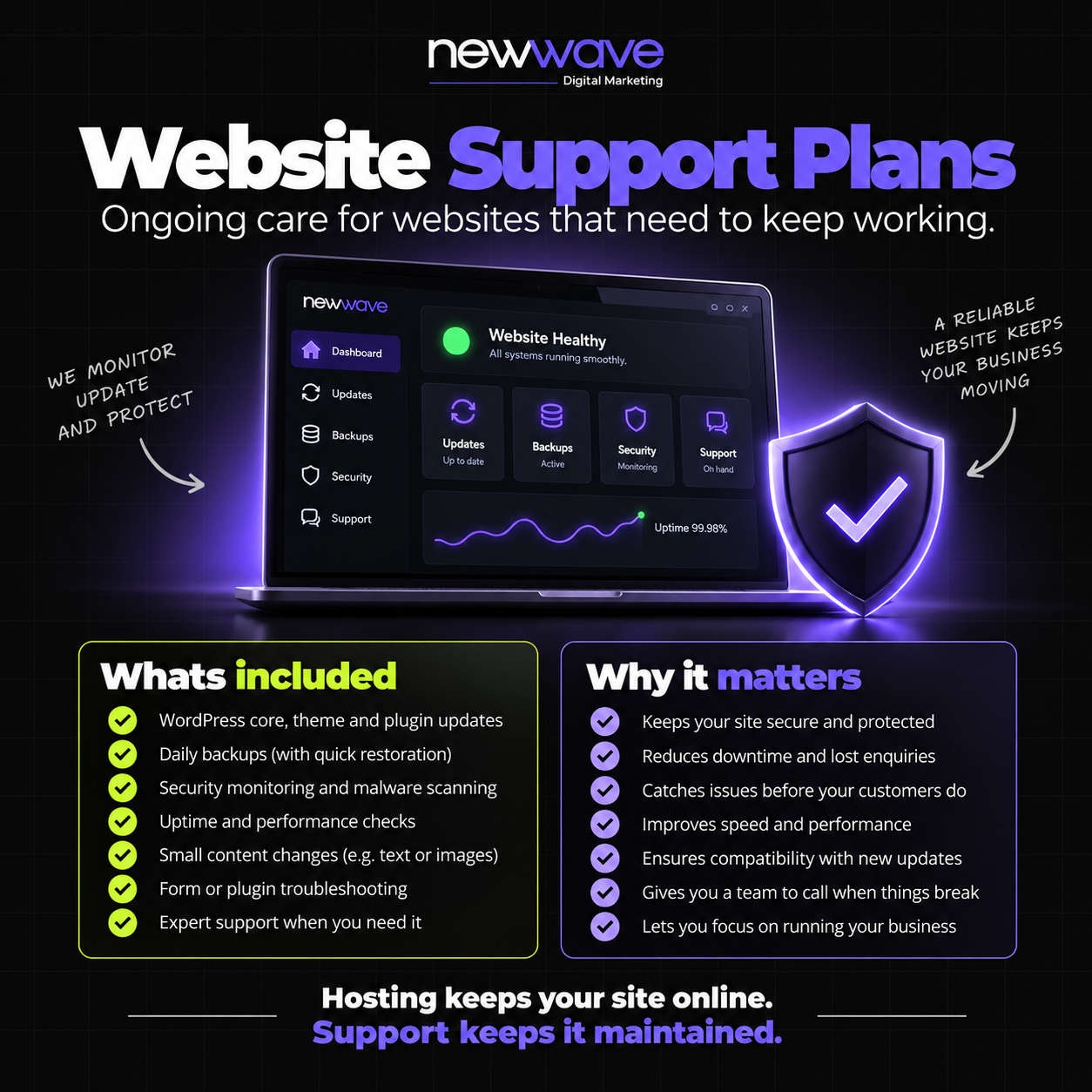
Every layer above, WordPress core, themes, plugins, hosting, backups, monitoring, is genuinely a lot to stay on top of, which is exactly why support plans exist. Ours cover keeping core, theme and plugins updated, backing the site up so we can roll back if something breaks, monitoring for anything unusual, and handling small content changes, an updated service, a location change, new team photos, without it becoming its own project. If your hosting itself needs attention, that’s covered under our hosting service directly.
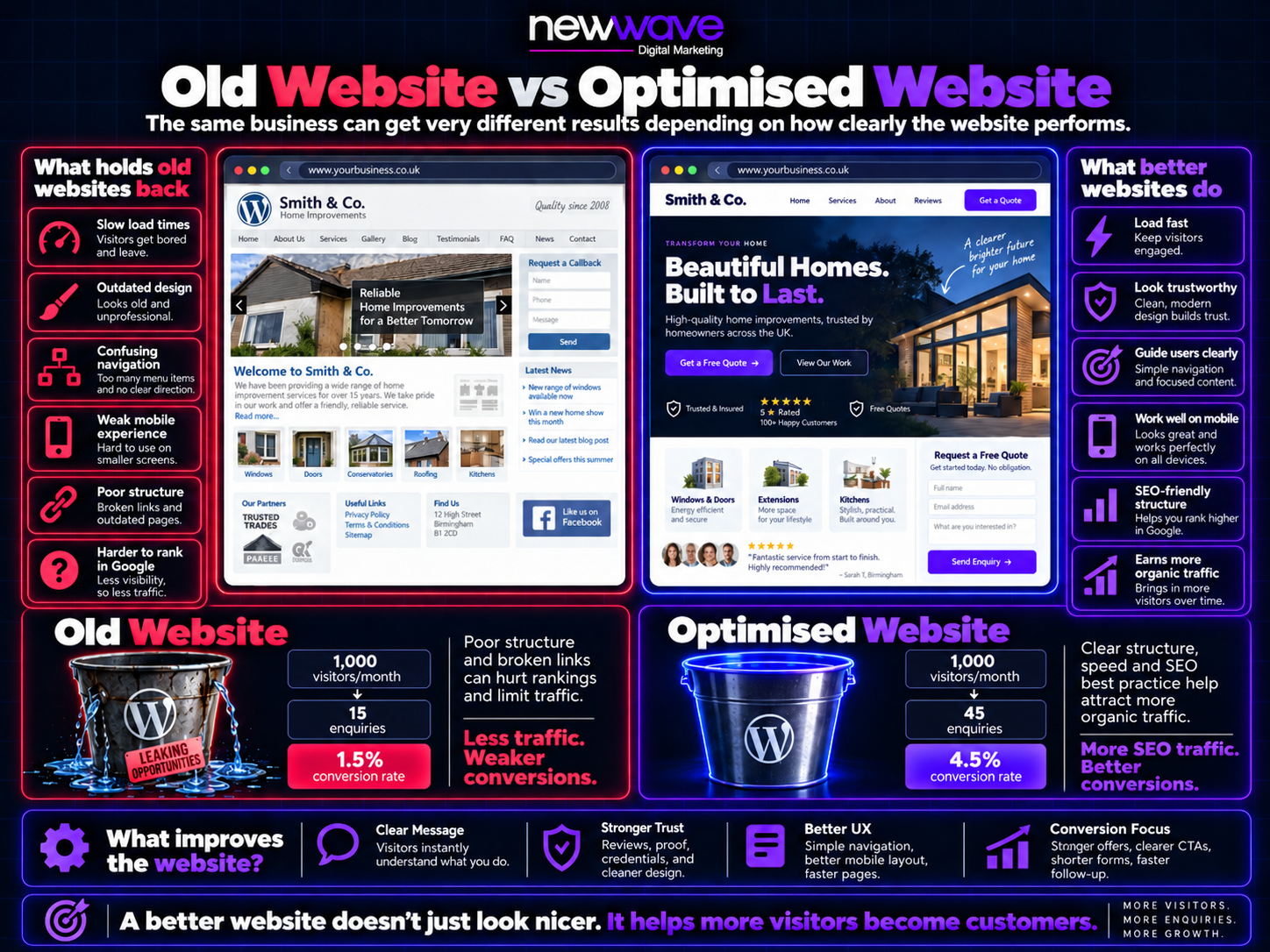
None of the above matters in isolation. A secure, well-hosted website that’s slow, has a confusing layout, or doesn’t work properly on mobile (still the majority of traffic for most local businesses) is still going to underperform. Get the foundation right and the reward is real: better SEO traffic, and more importantly, a better conversion rate, because getting someone to the site is only half the job. The other half is convincing them to actually enquire.
If you want the fuller general checklist beyond what’s covered here, see our website health check guide.
This post contains an affiliate link. See our affiliate disclosure for details.
Free calculator
Most business owners have no idea how much revenue their Google ranking is leaving on the table. Find out yours in 2 minutes.
Calculate What #1 Is Worth →Free · No sales call